Most guides to spring-cleaning your phone stop at photos and storage. Start instead with the apps connected to money: fake "win money" apps, game subscriptions still billing you, and cash-game balances you forgot. Any season works; spring is just a handy reminder. Atay Games' cash matches run on Skillz, operated by Firy Inc (NYSE: FIRY, formerly SKLZ), so Skillz's rules decide what happens to an idle balance. The audit runs money first, then privacy, then space.
- Delete any "win money" app that asked you to pay to get paid.
- Deleting a game doesn't cancel its subscription. Cancel it separately.
- Skillz says accounts inactive six months or more may be charged $2.00 a month. Withdraw, play a free match, or close the account.
- Keep Location on for cash games you still play.
Disclosure: Atay Games makes games that run on Skillz. This checklist quotes Skillz's, Apple's and Google's own published rules. If you're new to the platform, here's who Skillz and Firy are.
1. Which "win money" apps should you delete first?
People reported losing $15.9 billion to fraud in 2025, the FTC says. Its advice on game-like "task" apps is blunt: "Never pay anyone to get paid." Apple says it removed nearly 59,000 App Store apps in 2025 for bait-and-switch maneuvers. Delete any money app that asks for a fee to release winnings.
Start with anything that has ever asked you to pay to unlock, "verify" or "release" winnings. The FTC's December 2024 spotlight on gamified job scams calls being told to pay to get your money "a sure sign of a scam." About 20,000 people reported these task scams in the first half of 2024, up from about 5,000 in all of 2023.
Three quick tells of a fake:
- A pay-to-withdraw request: a "release fee," a prepaid "tax" or a paid upgrade.
- No named developer or payout method you can look up.
- The gameplay in the ad isn't in the app.
On that last tell, here's why the ads rarely match the game.
Check the developer name. It's on every App Store listing, and ours reads "ATAY GAMES LTD". On Android, delete any Atay- or Skillz-looking cash game that didn't come from the official Atay site. Here's how to tell a genuine cash-game APK from a fake.
Report it, then delete it. On iPhone, Apple says you can "report problematic apps at reportaproblem.apple.com." On Google Play, open the app's page and tap More > Flag as inappropriate (Google Play Help). In the US, you can also file at ReportFraud.ftc.gov.
In 2025, nearly 30% of people who reported losing money to a scam told the FTC it started on social media, with $2.1 billion lost. The app stores catch a lot before it reaches you, but not everything:
What the app stores stopped in 2025. Sources: Apple Newsroom, May 20, 2026; Google, February 19, 2026.
2. Are you still paying for games you deleted?
Deleting a game doesn't stop its subscription. Apple says "If you delete an app, it doesn't automatically cancel in-app subscriptions," and Google Play says "When you uninstall the app, your subscription won't cancel." Cancel in Settings > [your name] > Subscriptions on iPhone, or from your subscriptions in Google Play on Android.
iPhone (Apple's steps): Settings > your name > Subscriptions, tap the subscription, then Cancel Subscription. On a free trial, "cancel it at least 24 hours before the trial ends." If it isn't listed, you "might've bought the subscription from another company," so check your bank or card statement.
Android (Google Play's steps): go to your subscriptions in Google Play, select the one you want to cancel, and tap Cancel subscription. You keep access "for the time you've already paid," and "Your past subscriptions can't be refunded, with some exceptions."
Forgotten charges add up. In a 2026 survey of 1,272 people in the US, run for Self Financial, 59.9% had a paid subscription going unused. Those unused subscriptions averaged $26.79 a month. It's a commissioned survey, not an official statistic.
Cash games work differently. A deposit into a Skillz wallet is a one-time payment, not a subscription. None of our 12 US App Store listings shows an In-App Purchases section either (checked September 23, 2026). Idle cash balances are the next step.
3. Is money sitting in a cash game you stopped playing?
Skillz says accounts inactive for six months or more "may incur a monthly maintenance fee of $2.00," deducted from the in-app balance "always starting with Bonus Cash first." Playing a free match or withdrawing avoids it. Withdrawals under $10 carry a $1.50 charge. US winnings above your deposits go by paper check, and Skillz tells players to expect withdrawals in 4-6 weeks.
Check the balance in every cash game you've stopped playing before you delete anything. Skillz says "Your cash balance syncs across any Skillz games you are logged into," so the money lives on your Skillz account, not in the app. Delete the game and the balance stays put. So does the inactivity clock.
The help center's fee rule says the fee may start after "6 months or more" of inactivity. But "no maintenance fee will be collected if your account balance is $0," and Skillz won't charge your card or PayPal without your consent.
Section 8.7 of the User Terms counts you as inactive if "you have not entered at least one (1) tournament" for six consecutive months. A warning email comes after five. Don't archive it unread.
The Idle-Account Clock
How do you stop the clock?
Skillz gives two ways out: "simply log in and play a free match using our virtual Ⓩ currency," or "withdraw any remaining balances and disregard the notification." Which fits depends on whether you're keeping the game.
What should you know before you withdraw?
Skillz's withdrawal article sets the rules:
- "Deposited funds must be played in matches before they're eligible for withdrawal." If you never played a deposit, ask Skillz support.
- Up to your total deposits, money goes back to the card or PayPal you used, oldest deposit first.
- US winnings above your deposits go "via paper check," and Skillz says to "expect their withdrawals in 4-6 weeks." Where your wallet offers Aeropay bank transfers, Skillz says standard ones usually arrive in under 24 business hours.
- "there is a $1.50 charge for any withdrawals under $10."
- Bonus Cash "is forfeited when you make a withdrawal."
Keep the card you deposited with. Skillz says a withdrawal goes back to the prepaid card you deposited with first, and "If you don't have this card, your withdrawal may be forfeit." Don't toss it until the withdrawal lands. For a closed debit card or PayPal account, ask Skillz support.
| If you... | What Skillz's published rules say | Source |
|---|---|---|
| Withdraw $10 or more | No withdrawal charge is listed for $10 and up | Help 203685739 |
| Withdraw under $10 | "a $1.50 charge for any withdrawals under $10" | Help 203685739 |
| Leave it and don't play | After 6+ months inactive, "a monthly maintenance fee of $2.00" may apply | Help 360057419731; Terms 8.7 |
| Play one free match now and then | "To avoid the monthly maintenance fee, simply log in and play a free match" | Help 360057419731 |
4. What happens to Bonus Cash you don't use?
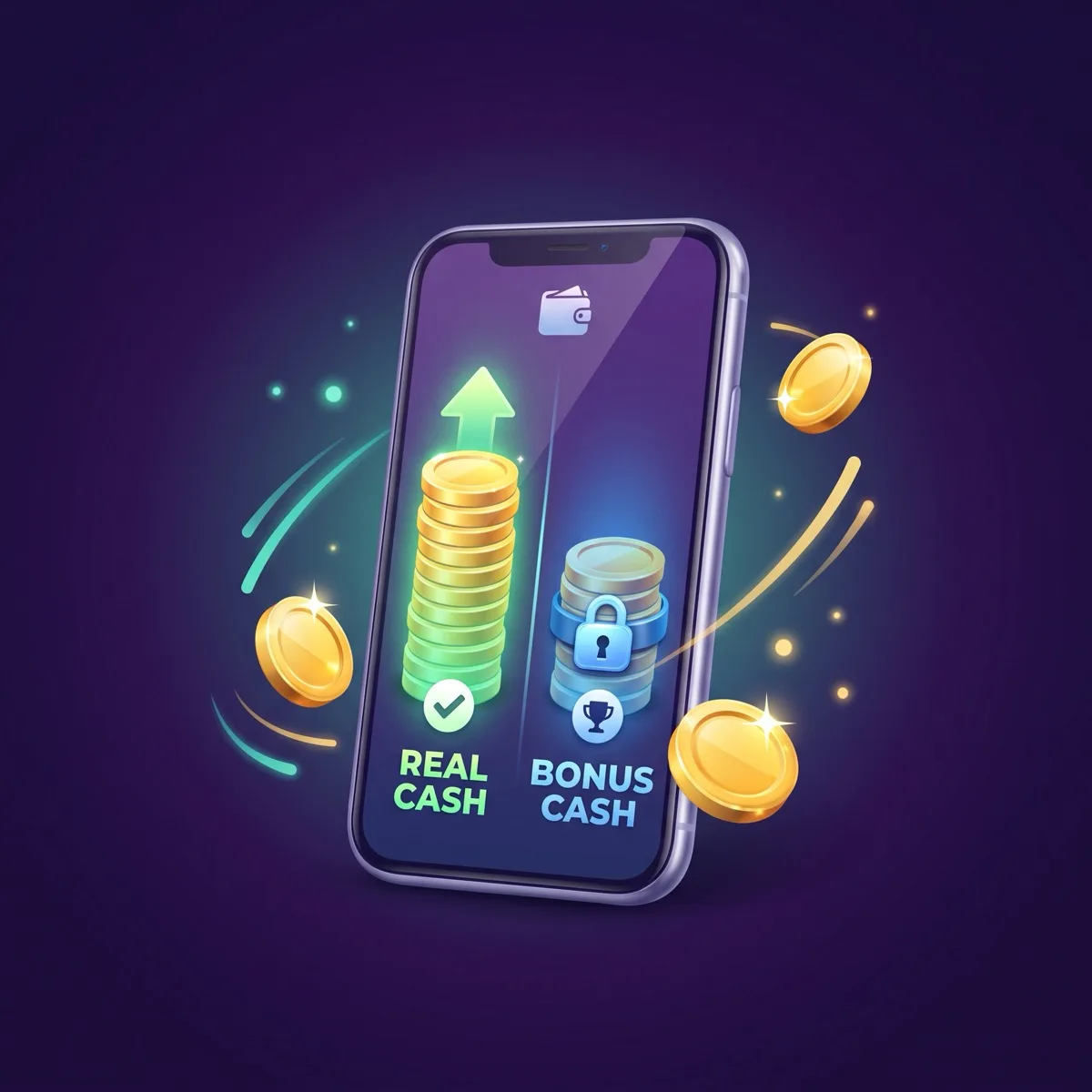
Bonus Cash can't be withdrawn. Skillz's User Terms (section 8.4) say all Bonus Funds are forfeited if you don't enter a cash competition "within a continuous 60 day time period." All of it is also forfeited when you start a withdrawal. If you're quitting a cash game, count on losing any Bonus Cash left.
Bonus Cash isn't money you can take out. Section 8.4 of Skillz's User Terms says Bonus Funds "can be used to enter Cash Competitions, but cannot be withdrawn," then adds two forfeiture rules:
- "If you initiate a withdrawal of funds from your Account, you will forfeit all Bonus Funds currently in your Account."
- "If you do not enter a Cash Competition within a continuous 60 day time period, all Bonus Funds in your account will be forfeited."
While you play, Skillz says "you typically pay the entry fee with 90% real cash and 10% Bonus Cash." If you're done playing for cash, let the Bonus Cash go. Don't enter cash matches just to use it up. And since the maintenance fee takes Bonus Cash first, after 60 days there may be none left to take.
More on how Bonus Cash is earned and lost and Bonus Cash vs real cash.
5. How do you close a cash-game account you're done with?
Deleting a cash-game app doesn't close your Skillz account. Skillz says account closure goes through support: an in-app ticket with the subject "Skillz Account Deletion" or an email to support@skillz.com from your account email. Its terms say funds in a closed account are returned under the normal withdrawal rules, so withdraw first.
If you're done with cash games for good, work in this order:
- Withdraw what you can (step 3).
- Screenshot your balance history. Skillz puts it under "the main menu, then tapping on Account and then Account Balance," though labels vary by game.
- Ask support to close the account.
Skillz's close-account article gives two routes. In the app: "Tap the Menu button located at the bottom-right corner of the screen. Select Contact Support," then change the subject to "Skillz Account Deletion." Or email support@skillz.com from "the email associated with your Skillz account," with that same subject line.
If you close with money still in the account, Section 8.6 of the User Terms says it "will be returned subject to the terms of Section 8.5," the normal withdrawal rules. Withdrawing first is simpler.
If you might come back, a $0 balance isn't charged the fee. Skillz's help center says "after 12 months or more of inactivity, Skillz reserves the right to close your account." The terms tie that to accounts with no funds. When you return, log into your old account. Here's why a second account can get you banned.
Other reward and cash apps set their own expiry and inactivity rules, so check each one's terms. A full guide to closing a Skillz account is coming soon.
6. Which app permissions should you review?
Apple's App Privacy Report shows how often each app accessed your location, camera, microphone and other data, and it only records after you turn it on. Android's Permission manager groups apps by permission type. Judge an app by what it asks you to allow and where you got it, not by a long technical list.
Check what your apps actually use, then switch off what a game doesn't need.
iPhone (Apple): Settings > Privacy & Security > App Privacy Report, then tap Turn on App Privacy Report (iOS 15.2 or later). It "starts gathering information only after you turn it on," and the data stays on your device. Turn it on today and check back in a week.
Android (Google, Pixel wording; names vary): Settings > Security & Privacy > Privacy > Permission manager, then tap a permission type. Per app, it's Settings > Apps > [the app] > Permissions. For games, choose "Allow only while using the app" or "Don't allow" for anything they don't need. The exception is Location for cash games (step 8).
Stop signs: a game asking for accessibility access, your texts or screen overlays (drawing over other apps). Google says its enhanced fraud protection blocks installs of apps that may abuse sensitive permissions for financial fraud. It blocked 266 million risky installation attempts in 2025.
A long permission list isn't proof an app is fake, though. Plenty of legitimate games, ours included, list more permissions than you might expect. What matters is what the app asks you to approve and whether you got it from the developer's official source.
7. Which apps are allowed to track you?
On iPhone, Settings > Privacy & Security > Tracking lists every app that asked to track your activity across other companies' apps and websites. Apple says turning off "Allow Apps to Request to Track" means new requests are treated as if you tapped Ask App Not to Track. On Android, you can delete your advertising ID in privacy settings.
Tracking has its own switch, separate from Location Services. On Apple's Tracking screen, you can switch off each app that asked to track you.
To stop the prompts altogether, turn off "Allow Apps to Request to Track." Apple says "you won't get prompts from apps that want to track your activity." Any app that asks anyway "will be treated as if you tapped Ask App Not to Track."
On Android, search Settings for "Ads" to find the advertising ID, since menu names vary by phone. Google's developer help says that once you delete it, apps "will receive a string of zeros instead of the identifier."
Saying no to tracking is your call.
8. Why should cash games keep location access?
Skillz requires location services before any cash match: "Without verifying your location, we cannot allow you to enter cash games." It tells iPhone players to set the game to While Using the App, and it blocks cash play when it detects a VPN. Android can reset permissions for apps you haven't used for a few months.
Cash games need Location. Skillz's location article requires it "before participating in cash-based games." Switch Location off in a clean-up, and cash play stops in any game you still use.
iPhone: Settings > Privacy & Security > Location Services, tap the game, then choose While Using the App. That setting allows access "only when the app or one of its features is visible on screen," per Apple.
Android: turn on Settings > Location, then set Settings > Apps > [the game] > Permissions > Location to "Allow." Skillz also mentions a "High Accuracy" mode, an older label that newer phones may name differently.
Android can undo it for you. Android's developer documentation says that when an app targets Android 11 or higher "and is not used for a few months, the system protects user data by automatically resetting the sensitive runtime permissions."
The two current Android builds of our games that we checked both target Android 14 (API level 34), so that rule applies. For a cash game you kept but haven't opened lately, re-grant Location. Or turn off Pause app activity if unused in its app settings.
VPNs block cash play. Skillz "does not permit the use of VPNs or any services that may alter or obscure your true geographic location." Turn off any VPN your clean-up added before a cash match.
Some places are off entirely. Skillz lists no US cash matches in Arkansas, Connecticut, Delaware, Louisiana and South Dakota, no card-based games in Indiana and Maine, and no Dominoes in New Jersey. Check each game's own listing for its limits.
9. Should you offload or delete the games you keep?
On iPhone, offloading an app "frees up storage used by the app, but keeps its documents and data," while deleting "removes the app and its related data." Android's archive feature also keeps data, but Google says restoring needs the app to still be available in the app store. That matters for games you installed from a developer's website.
Offload the games you'll come back to and delete the rest. On iPhone, Settings > General > iPhone Storage shows "recommendations and a list of apps with their storage usage." Tap a game to offload or delete it. For automatic help, tap Show All on that screen, then tap Enable on a recommendation.
On Android 15 and up, archiving an app "removes its software, permissions, temporary files, and stops notifications, but retains the app icon and data." The catch: to restore it, "the app must still be available to download in the app store."
Our Android cash games don't come from an app store. They install as an APK from our official site, not Google Play, so this checklist's Google Play steps are for your other apps. Uninstall website-installed games instead of archiving them, and reinstall from the same site later. Turn off Manage app if unused for any app you want left alone.
Offloading or deleting a cash game doesn't touch your Skillz account or balance, so log into the same account when you reinstall. On Android, here's how Google's developer verification affects cash-game APKs.
What does the whole spring-clean audit look like at a glance?
Nine checks on one screen, with the money rows first because skipping them is what costs you. Screenshot it and work down the list. Menu names can vary by phone.
| # | Check | iPhone | Android |
|---|---|---|---|
| 1 | Delete fake "win money" apps | Report at reportaproblem.apple.com | Play Store: app page > More > Flag as inappropriate |
| 2 | Cancel unused subscriptions | Settings > [your name] > Subscriptions | Google Play subscriptions > the subscription > Cancel subscription |
| 3 | Cash out idle balances | In the game: Withdraw on the main menu | Same |
| 4 | Let go of Bonus Cash | Skillz rule: it can't be withdrawn | Same |
| 5 | Close accounts you're done with | Menu > Contact Support > "Skillz Account Deletion", or email | Same |
| 6 | Review permissions | Privacy & Security > App Privacy Report | Security & Privacy > Privacy > Permission manager (Pixel) |
| 7 | Decide who can track you | Privacy & Security > Tracking | Delete the advertising ID in privacy settings |
| 8 | Keep Location for cash games | Location Services > the game > While Using the App | Apps > the game > Permissions > Location |
| 9 | Offload or delete | General > iPhone Storage | Uninstall website-installed games; archive only store apps |
How did we build this checklist?
We checked every step against Apple's, Google's and Skillz's own published rules on September 23, 2026. That covered Skillz's User Terms (updated May 22, 2025), all 119 English articles in its help center, and the privacy labels on all 12 of our US App Store listings. Three rules shaped the list:
- Steps that protect money come first.
- Every menu path comes from the platform's own support page. Labels can still vary by phone and app version.
- Nothing needs a paid tool.
Disclosure: Atay Games makes games that run on Skillz. No company paid for placement, and no app in this list is ranked.
Two related checklists: how to cut screen time without quitting the games you like, and how to move a cash-game account to a new phone.
Frequently Asked Questions
Does deleting a game app cancel its subscription?
No. Apple says deleting an app doesn't automatically cancel in-app subscriptions, and Google Play says uninstalling won't cancel one. Cancel it from Subscriptions in your iPhone's Settings, or from the subscriptions list in the Play Store. Cash-game deposits are one-time payments, not subscriptions, so check those balances separately.
What happens to money left in a cash game app I stopped playing?
It stays on your Skillz account, even if you delete the app. Skillz says a $2.00 monthly maintenance fee may apply after six months of inactivity, taken from Bonus Cash first and never from a $0 balance. Playing a free match or withdrawing avoids it, and Skillz says it may close accounts inactive for 12 months or more.
Is it safe to turn off location for game apps?
For most games, that's your call. Cash games are different: Skillz requires location services before any cash match and tells iPhone players to choose While Using the App. Leave location on for any cash game you still play, and give other games only the access you're comfortable with.
Is offloading an app the same as deleting it?
No. On iPhone, offloading frees up the storage an app uses but keeps its documents and data, while deleting removes the app and its related data. Neither closes an account you made inside the app. For a Skillz cash game, your balance and account stay with Skillz until you withdraw and ask support to close the account.
How often should I audit the apps on my phone?
Once a year works for most phones, and spring is an easy reminder, though any season will do. For cash games, check every few months: Skillz's maintenance fee may apply after six months of inactivity, and unused Bonus Cash is forfeited after 60 days without a cash competition.
The Bottom Line: Start With the Apps That Touch Money
A phone clean-up that starts with photos misses the apps that can actually cost you. Do these three first:
- Delete anything that asks you to pay to get paid.
- Cancel anything that still bills you.
- Withdraw from, or close, any cash-game account you've abandoned.
Permissions and tracking are your call after that. Just keep Location on for cash games you still play. And if the audit turns up more spending than you expected, the help resources at the end of this guide are a good next stop.
Sources
- Skillz help center, Why did I receive a notification of a maintenance fee?, article 360057419731 ($2.00 monthly fee after 6+ months, Bonus Cash first, none at $0, free match or withdrawal avoids it, 12-month closure; text last edited September 19, 2024), retrieved 2026-09-23, support.skillz.com
- Skillz help center, How do I close my account?, article 30884677772564 (in-app ticket or email, subject "Skillz Account Deletion"; text last edited December 11, 2024, page updated August 15, 2026), retrieved 2026-09-23, support.skillz.com
- Skillz help center, Can I use my Skillz account for multiple games?, article 203685909 (cash balance syncs across Skillz games; text last edited April 2, 2020, page updated August 19, 2023), retrieved 2026-09-23, support.skillz.com
- Skillz help center, How do withdrawals work?, article 203685739 (played-once rule, routing to deposit method, paper check above deposits in the US, 4-6 weeks, $1.50 charge under $10, Bonus Cash forfeited; text last edited February 2, 2026, page updated August 5, 2026), retrieved 2026-09-23, support.skillz.com
- Skillz help center, Skillz + Aeropay: Secure Bank Transfers Made Easy, article 37471978518676 (US bank transfers; standard transfers usually under 24 business hours; text last edited June 18, 2025, page updated September 22, 2026), retrieved 2026-09-23, support.skillz.com
- Skillz help center, How does Bonus Cash work, and how can I get more of it?, article 203685769 (90% real cash, 10% Bonus Cash; text last edited October 10, 2024, page updated July 2, 2026), retrieved 2026-09-23, support.skillz.com
- Skillz help center, article 115001140043 on depositing with a prepaid card ("your withdrawal may be forfeit" without the card; text last edited February 4, 2025, page updated May 14, 2025), retrieved 2026-09-23, support.skillz.com
- Skillz help center, Location Services / VPN Usage, article 31144805510164 (location required for cash games, iPhone and Android steps, VPNs not permitted; text last edited October 10, 2024, page updated May 25, 2026), retrieved 2026-09-23, support.skillz.com
- Skillz help center, I deposited money. Why does it say cash play is not available in my area?, article 204372905 (US states without cash matches; edited August 23, 2025), retrieved 2026-09-23, support.skillz.com
- Skillz help center, How can I view my balance history?, article 204372965 (text last edited July 2, 2022, page updated November 1, 2023), retrieved 2026-09-23, support.skillz.com
- Skillz, User Terms and Conditions of Service (Updated as of May 22, 2025), sections 8.4 Bonus Funds, 8.5 Withdrawals, 8.6 Closing Accounts and 8.7 Account Monthly Maintenance Fee, retrieved 2026-09-23, skillz.com/legal. Note: section 8.5 allows "A check request processing fee of up to $2.00 for any withdrawal of less than $10.00"; the help center's current figure is $1.50, which we quote in the body.
- Apple Support, Delete apps on your iPhone or iPad, article 101550 (September 14, 2026), retrieved 2026-09-23, support.apple.com
- Apple Support, Cancel a subscription from Apple, article 118428 (September 14, 2026), retrieved 2026-09-23, support.apple.com
- Apple Support, About App Privacy Report, article 102188, retrieved 2026-09-23, support.apple.com
- Apple Support, If an app asks to track your activity, article 102420 (December 19, 2025), retrieved 2026-09-23, support.apple.com
- Apple Support, Turn Location Services and GPS on or off on your iPhone, iPad or iPod touch, article 102647 (January 14, 2026), retrieved 2026-09-23, support.apple.com
- Apple Support, How to check the storage on your iPhone and iPad, article 108429 (September 16, 2026), retrieved 2026-09-23, support.apple.com
- Apple Support, Maintaining a safe App Store experience, article 122712 (September 17, 2026), retrieved 2026-09-23, support.apple.com
- Google Play Help, Cancel, pause, or change a subscription on Google Play, answer 7018481, retrieved 2026-09-23, support.google.com
- Google Play Help, Flag an app or review on Google Play, answer 2853570, retrieved 2026-09-23, support.google.com
- Android Help, Change app permissions on your Android phone, answer 9431959, retrieved 2026-09-23, support.google.com
- Android Help, Manage unused apps on your Android device, answer 13627979, retrieved 2026-09-23, support.google.com
- Android Help, Archive unused apps on Android, answer 15523443, retrieved 2026-09-23, support.google.com
- Play Console Help, Advertising ID, answer 6048248 (deleted ID returns "a string of zeros"), retrieved 2026-09-23, support.google.com
- Android Developers, Request runtime permissions (auto-reset of unused apps' permissions), retrieved 2026-09-23, developer.android.com
- Federal Trade Commission, FTC Testifies before the Joint Economic Committee on Agency's Efforts to Combat Fraud (3 million fraud reports and $15.9 billion reported lost in 2025; March 25, 2026), retrieved 2026-09-23, ftc.gov
- Federal Trade Commission, New FTC Data Show People Have Lost Billions to Social Media Scams (nearly 30% of 2025 loss reports started on social media, $2.1 billion; April 27, 2026), retrieved 2026-09-23, ftc.gov
- Federal Trade Commission, Data Spotlight, Paying to get paid: gamified job scams drive record losses (task-scam reports and "Never pay anyone to get paid"; December 12, 2024), retrieved 2026-09-23, ftc.gov
- Apple Newsroom, The App Store stopped over $2.2 billion in potentially fraudulent transactions in 2025 (May 20, 2026), retrieved 2026-09-23, apple.com
- Google, Keeping Google Play & Android app ecosystems safe in 2025 (February 19, 2026), retrieved 2026-09-23, blog.google
- Self Financial, The Cost of Unused Paid Subscriptions 2026 (commissioned survey of 1,272 people in the US), retrieved 2026-09-23, self.inc
- Atay Games first-party checks, September 23, 2026: App Store privacy labels on all 12 of our US listings (developer name "ATAY GAMES LTD"; no In-App Purchases section shown), and the target SDK of two current Android builds (Bubble Prizes 3.47 and Word Search 4.02, both API level 34), read from their manifests with Android build-tools.
About this guide. This is general information based on Apple's, Google's and Skillz's published support pages and terms as retrieved on September 23, 2026, and any of them can change menus and rules at any time. Menu names vary by phone model and software version. It is not legal or financial advice. Skillz decides fees, withdrawals and account closures under its terms. Real-money play is 18+ (Skillz's terms require players to be 18 even to download its software), and availability depends on where you live. If gaming stops being fun, the National Council on Problem Gambling has resources at ncpgambling.org.
Keeping a Cash Game?
Play a free match now and then. Skillz says a free match is enough to avoid the inactivity fee, and it costs no entry fee. Cash play is optional, and Skillz's terms require every player to be 18 or older.
Browse All Games